
Calculating discounts at checkout
You work out the amount and change the price by hand.
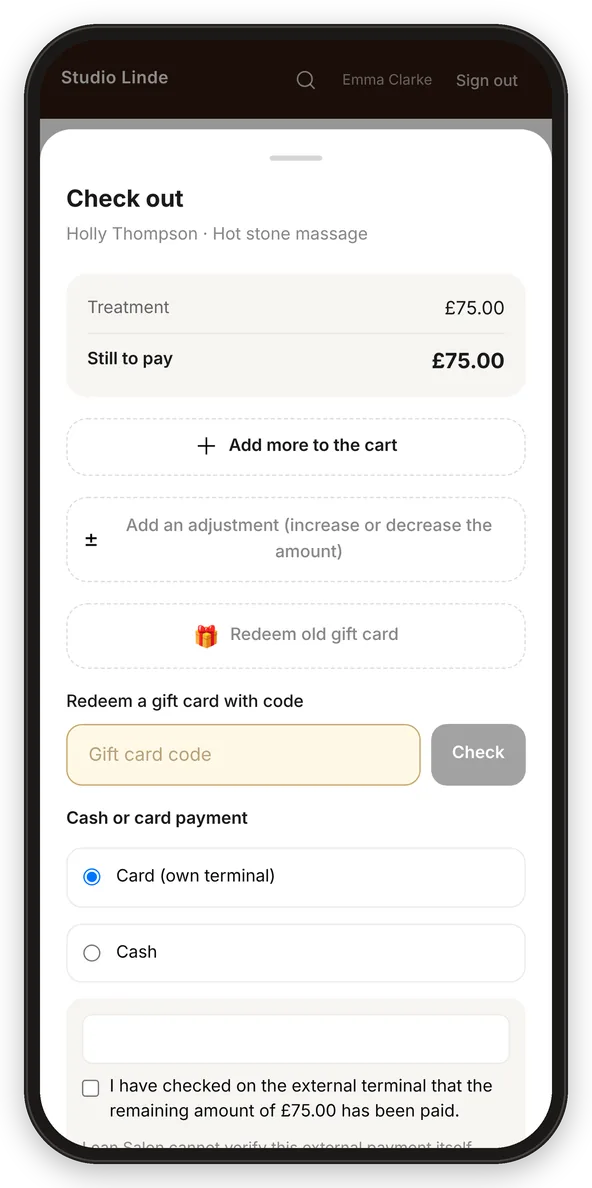
Fill a quiet week, launch a new treatment or surprise a client on her birthday. With Lean Salon you create a discount code in a few taps, and it works online and at checkout.
Without a discount feature you track everything yourself, on paper or in your head.
You work out the amount and change the price by hand.
You do not know how often a promotion was used or who already had it.
A code keeps working long after the promotion is over.
How it works
You set the rules, Lean Salon applies them when booking and checking out.
A percentage, with an optional cap, or a fixed amount. Optionally from a minimum spend.
Choose which treatments a code covers, when it can be used and in which period the appointment must fall.
Set a maximum in total and per client, and see how often each code has been used.
The birthday email contains a personal single use code, for clients who opted in to marketing.
Real screens from the app, with a sample salon.
Private pilot
Pay no Lean Salon subscription fee for 3 months during the pilot. Afterwards, the plan you choose when signing up continues, at a subscription price locked in for your salon. Mollie payment fees are separate.
Yes, if you allow it per code. The client enters the code when booking and sees the discount in the summary. You can also keep a code for the front desk only.
The discount lowers the treatment price, VAT is recalculated and the code appears on the invoice.
No. One discount applies per appointment, so promotions never stack by accident.
Sign up and start right away. Use Lean Salon software for 3 months with no subscription fee. Afterwards your subscription continues at a price locked in for your salon for life.
3 months with no subscription fee · Free data migration · Subscription price locked in after the pilot